
Subaru Outback (BR): Channel scan
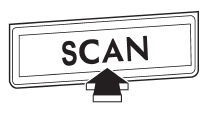
If you press the “SCAN” button while the radio is in the category search mode, the radio turns to the category SCAN mode. In the category SCAN mode, the radio scans only channels in the selected category. If you press the “SCAN” button while the radio is not in the category search mode, the radio turns to the ALL SCAN mode. In the ALL SCAN mode, the radio scans all channels.
In both SCAN modes, the radio will stop at the station for 5 seconds while displaying the channel number, after which scanning will continue until the entire channel has been scanned from the low end to the high end.
Press the “SCAN” button again to cancel the SCAN mode and to stop on any displayed channel.
READ NEXT:
 Preset buttons
How to preset channels
1. Press the “SAT” button to select SAT1, SAT2 and SAT3 reception.
2. Select the desired channel.
3. Press one of the preset buttons for more than 1.5 seconds to store th
Selecting preset channels
Presetting a channel with a preset button allows you to select that channel in
a single operation. Up to six SAT1, SAT2 and SAT3 channels each may be preset.
SEE MORE:
Low fuel warning light
The low fuel warning light illuminates when the tank is nearly empty approximately
2.6 US gal (10.0 liters, or 2.2 Imp gal). It only operates when the ignition switch
is in the “ON” position.
NOTE
This light does not turn off unless the tank is replenished up to an internal
fuel quanti
Rear center seating position
CAUTION
The head restraint is not intended to be used at the lowest position. Before sitting on the seat, raise the head restraint to the extended position.
A) When not used (retracted position) B) When used (extended position)
1) Head restraint
2) Release button
To raise:
© 2010-2026 Copyright www.suoutback.com
